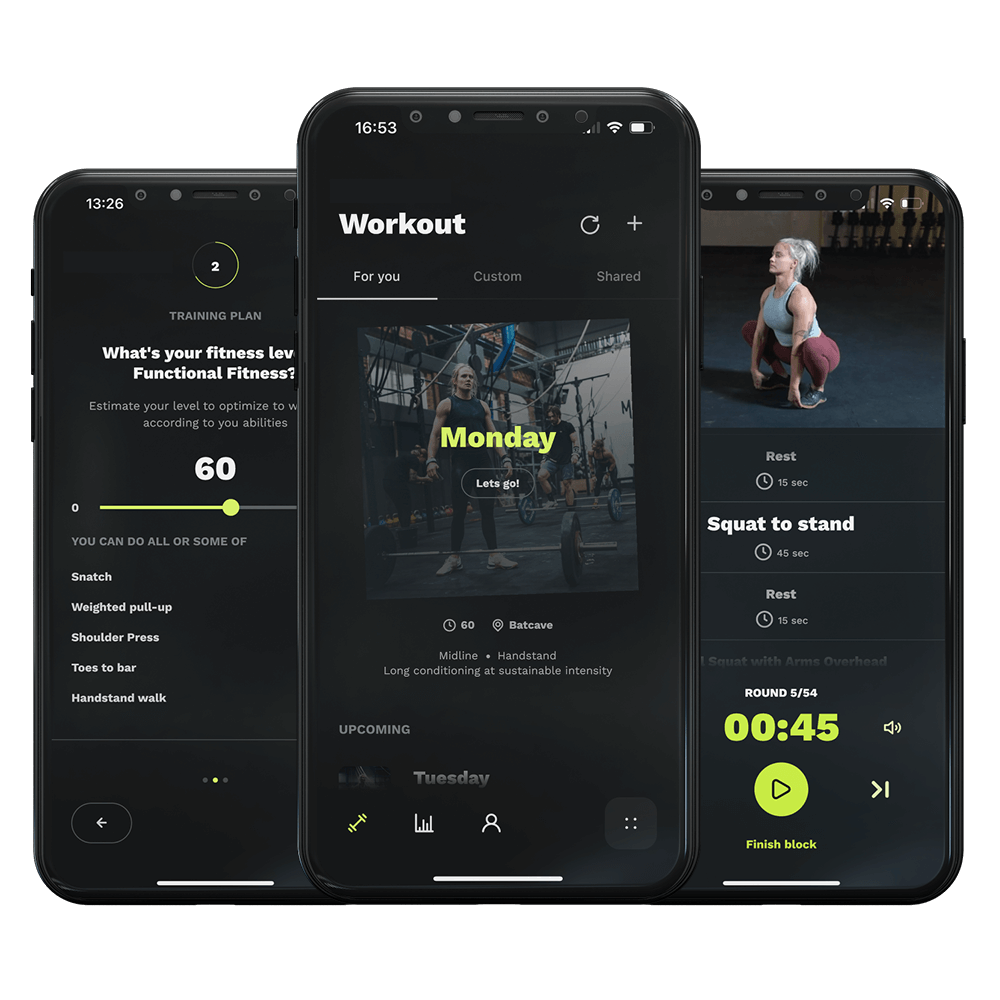
Hey everyone! In today’s quick guide, I’m going to show you a super handy feature in our app that lets you easily import your workout details directly from a whiteboard photo. This means less time typing and more time training. Let’s get right to it.
First up, grab your phone and open our app. On your home screen, you’ll see an option labeled ‘Other Training’. Tap on that. This is where you can log any kind of workout that’s not already pre-defined in the app.
Next, you’ll see a button that says ‘+Conditioning’. Go ahead and tap that, then select ‘Import’ from the options. This is where the magic happens. You now have two choices: you can either pick an image from your gallery—perfect for those times you’ve snapped a photo earlier—or take a new photo right then and there. If you’re at the gym and just finished a killer session written on the whiteboard, this is your moment to capture it.
Once you’ve chosen or taken your photo, it’s time to make it fit just right. Use the crop tool to trim any unnecessary parts of the photo, focusing on the workout details. Hit ‘Next’ when you’re done.
Here’s where our app tries to make life even easier for you. You’ll get a text suggestion based on the photo you uploaded. We hope it’s spot on, but if there are any errors, you can easily make corrections manually. This ensures your workout details are accurate and ready to go.
Last step, hit ‘Save’ to add this workout to your routine. And just like that, you’ve successfully imported a workout from a whiteboard photo directly into your app, ready to be tackled at your next session.
First up, grab your phone and open our app. On your home screen, you’ll see an option labeled ‘Other Training’. Tap on that. This is where you can log any kind of workout that’s not already pre-defined in the app.
Next, you’ll see a button that says ‘+Conditioning’. Go ahead and tap that, then select ‘Import’ from the options. This is where the magic happens. You now have two choices: you can either pick an image from your gallery—perfect for those times you’ve snapped a photo earlier—or take a new photo right then and there. If you’re at the gym and just finished a killer session written on the whiteboard, this is your moment to capture it.
Once you’ve chosen or taken your photo, it’s time to make it fit just right. Use the crop tool to trim any unnecessary parts of the photo, focusing on the workout details. Hit ‘Next’ when you’re done.
Here’s where our app tries to make life even easier for you. You’ll get a text suggestion based on the photo you uploaded. We hope it’s spot on, but if there are any errors, you can easily make corrections manually. This ensures your workout details are accurate and ready to go.
Last step, hit ‘Save’ to add this workout to your routine. And just like that, you’ve successfully imported a workout from a whiteboard photo directly into your app, ready to be tackled at your next session.